My Cosmos
For parents ยท iPhone

Your children at the center. Everyone around them in view.

Birthdays you never miss, milestones with photos, and all the people who matter in your children's lives: grandparents, godparents, daycare friends. Private, in your own iCloud, shared with your partner.

Coming soon to theApp Store See what it does
  • No ads
  • No tracking
  • No account

Birthdays first

Never miss a birthday again.

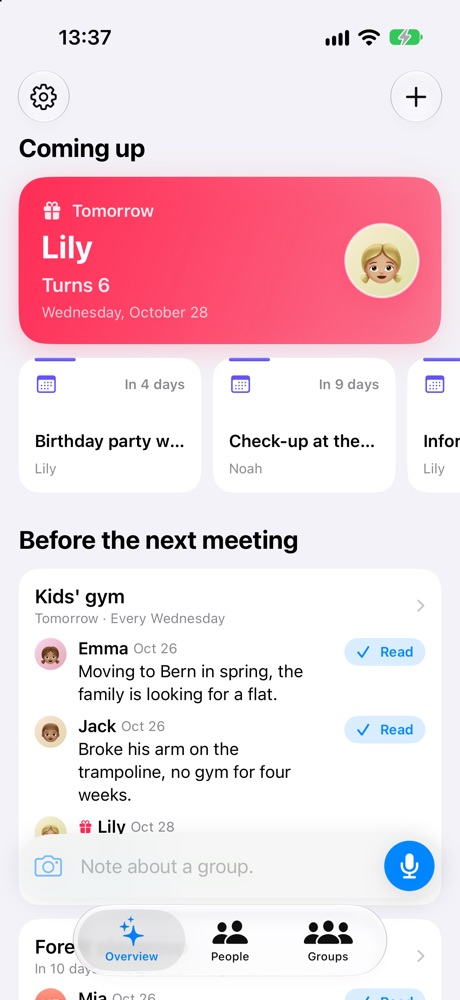
"Coming up" shows the next 60 days at a glance: birthdays with the age they turn, wedding anniversaries, anniversaries of milestones and upcoming events. The nearest one gets the big card.

  • Reminders a week before and on the day, or whenever suits you
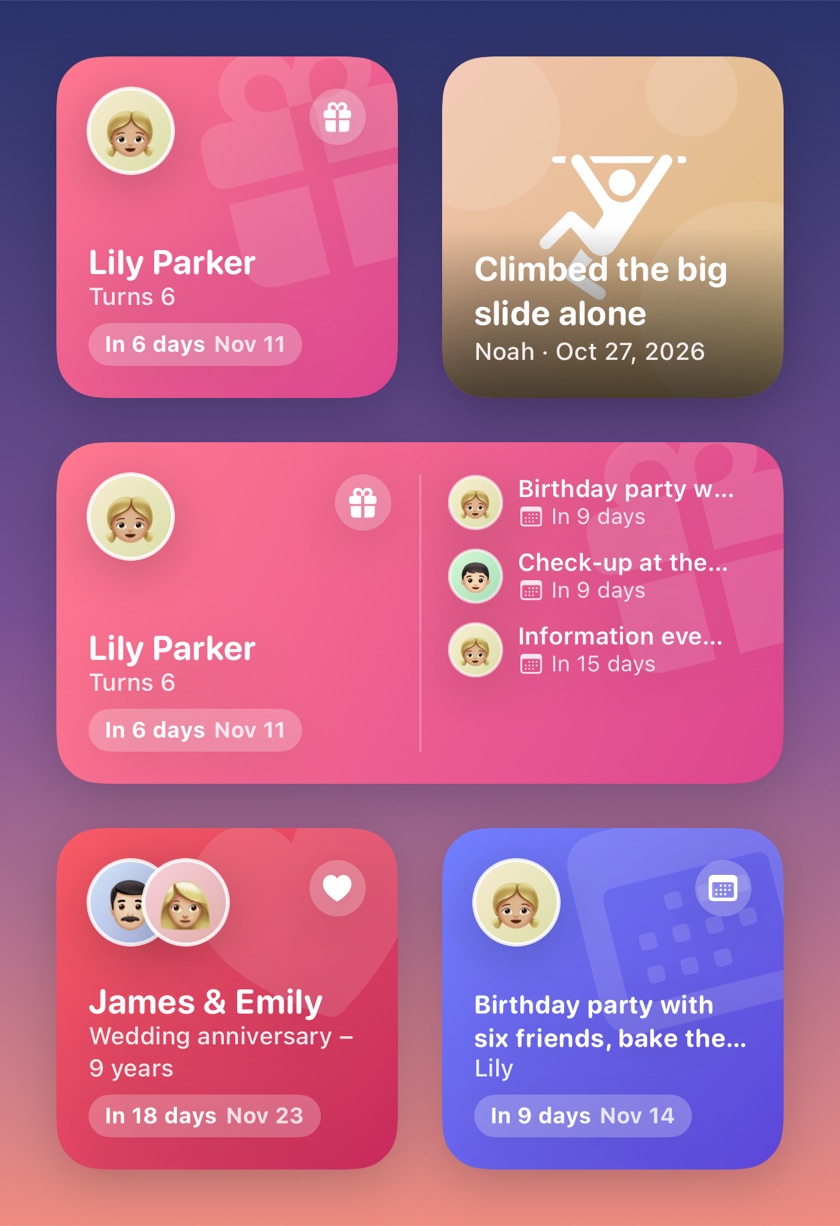
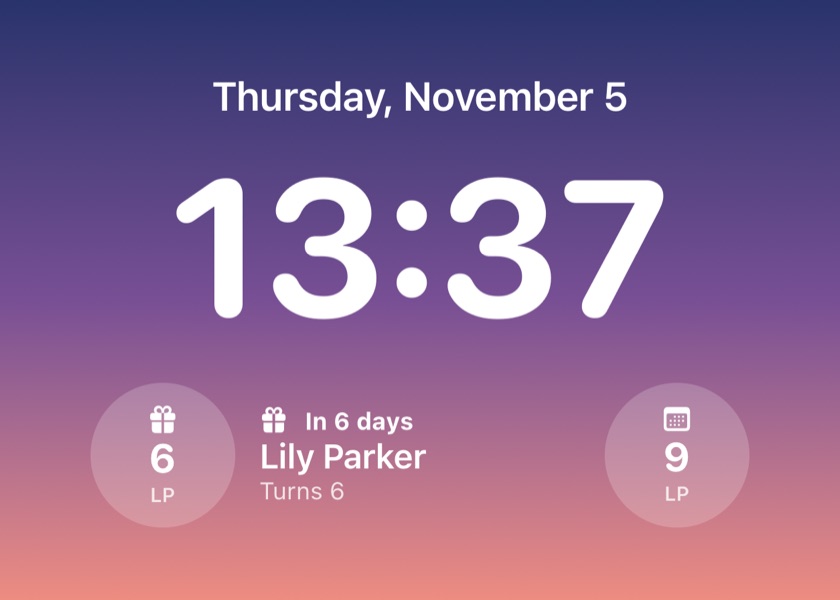
  • Home Screen widgets for upcoming birthdays and recent milestones
  • Switch off reminders for single people
  • One-time reminders for events like a check-up or a party
Coming up: Lily turns 6 tomorrow, a birthday party in 4 days and a check-up in 9 days
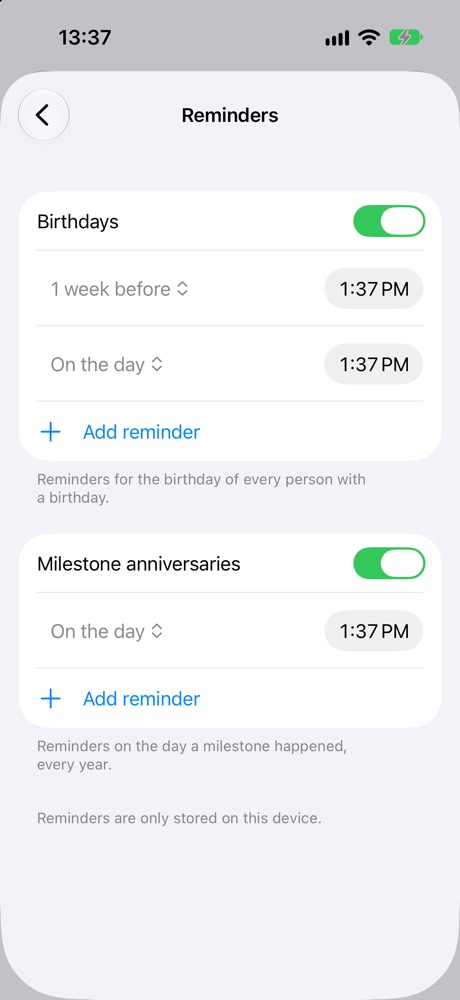
Reminder settings: birthdays a week before and on the day, milestone anniversaries on the day
Lily turns 6Tomorrow ยท reminder at 13:37

Milestones

First steps, first word, first bike ride.

Keep the moments you never want to forget, with photos, a few words and the age they happened at. Every year the app reminds you of the day.

  • Several photos per milestone, kept small in your iCloud
  • Their age at the time, worked out from the birthday
  • Events for everything else: things that happened or are coming up
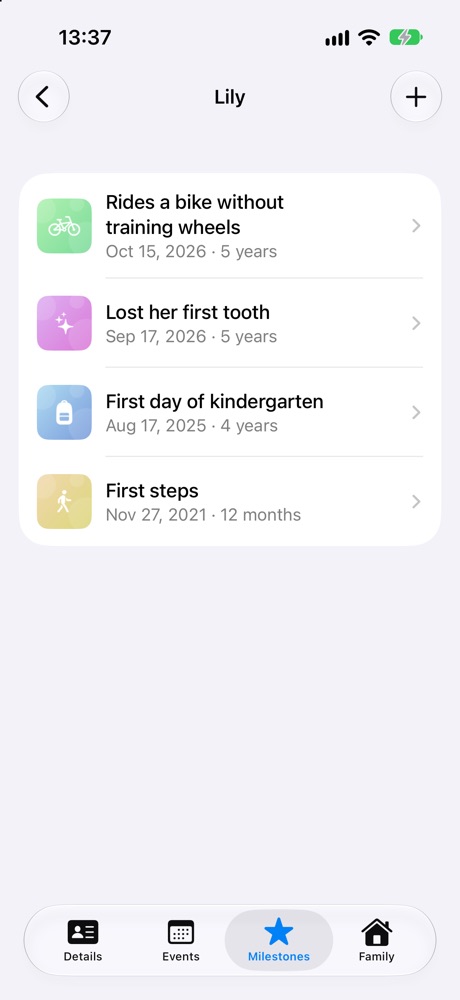
Lily's milestones: rides a bike, lost her first tooth, first day of kindergarten, first steps
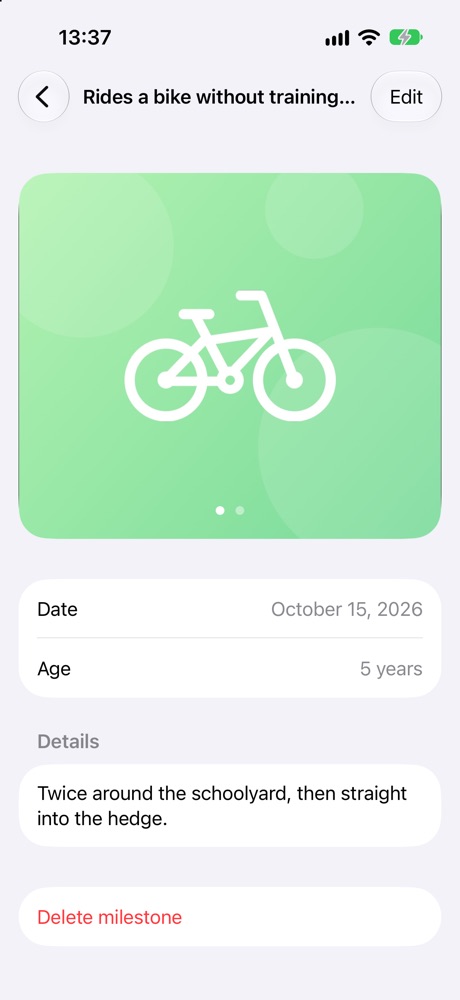
A milestone with photo, date, age and details

The people around them

Grandparents, godparents, the whole gang.

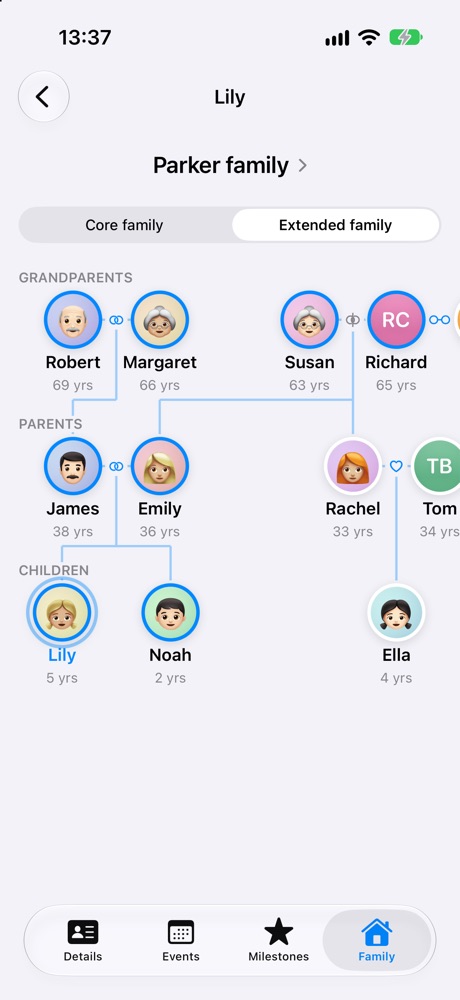
Who is who, and how they belong together. The family tree shows grandparents on both sides, separated and new partners, aunts and cousins, and works out the relations you didn't type in.

  • Any relationship: godmother, daycare friend, neighbour, cousin
  • Core and extended family tree, step and half relations included
  • Other families with their own tree, so you know whose parents are whose
  • Adds children, parents and birthdays from your contacts if you want
Extended family tree of the Parker family across three generations
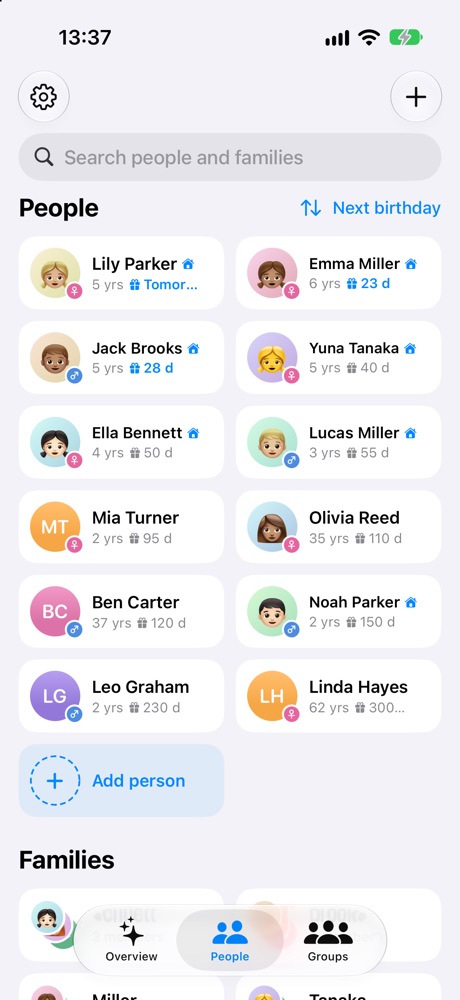
People as cards with age and days until their birthday

Quick notes

Just say what happened.

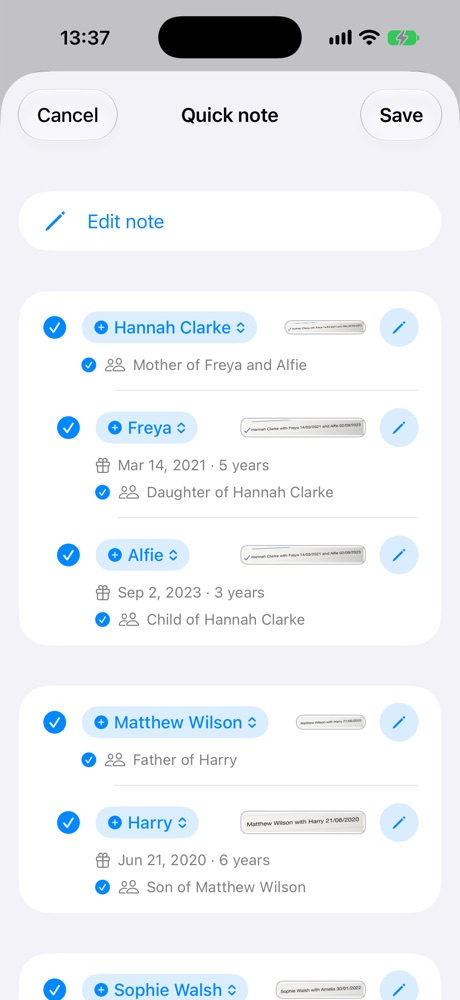
Dictate a sentence after pick-up and the app finds the people, groups and events in it. You see what it found and what is new, and switch off anything before it's saved.

  • Recognises "Yuna's mother" and names spoken slightly differently
  • Understands "yesterday" and "tomorrow", also in German and Swiss German
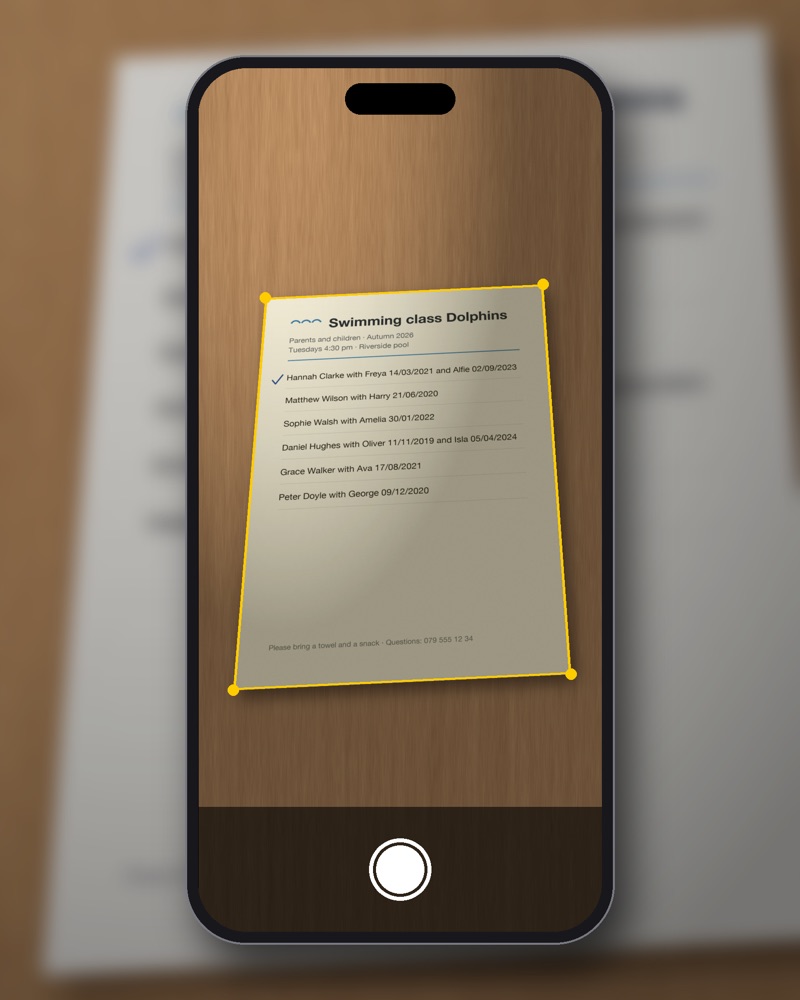
  • Also reads photos, PDFs and scanned class lists
Quick note

Met Aiko, Yuna's mother, at gym today. She's looking for a babysitter on Saturday evenings. Lily's party is tomorrow.

  • FoundAiko Tanaka ยท Yuna's mother
  • FoundKids' gym ยท group
  • NewLooking for a babysitter ยท Aiko
  • NewBirthday party ยท Lily ยท tomorrow

With Apple Intelligence on supported iPhones, on your device. Without it the note is kept as one event.

Groups

Read up before the next meeting.

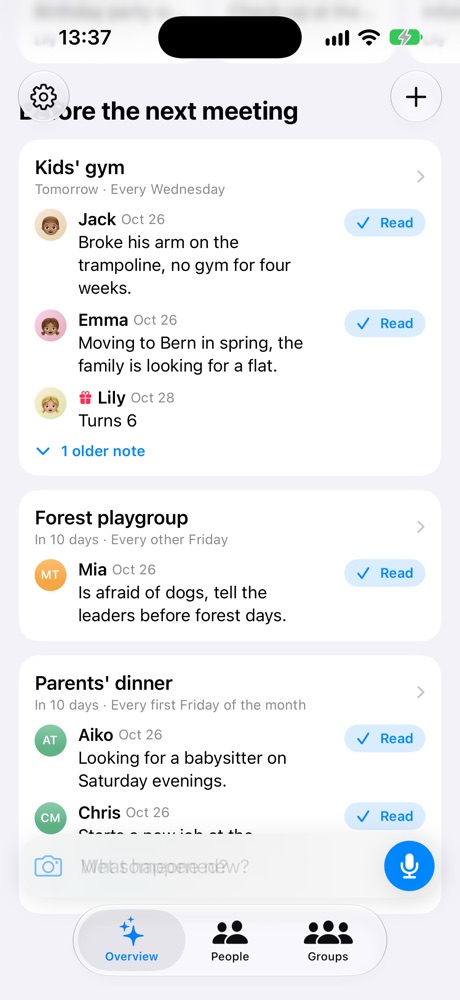
Gym class every Wednesday, playgroup every other Friday, parents' dinner on the first Friday of the month. Before each meeting you see what happened since the last one and whose birthday comes first.

  • Notes since the last meeting, older ones folded away
  • Birthdays of members before the next meeting
  • Mark notes as read once you're up to date
Before the next meeting: notes for Kids' gym, Forest playgroup and Parents' dinner

Private by design

Your family's data stays yours.

My Cosmos has no servers of its own and no account. Your data lives on your iPhone and in your own iCloud, and you share it with your partner through iCloud. Both of you see and edit the same children, people, milestones and photos.

Read the privacy policy
  • No tracking, no advertising, no analytics
  • Contacts are only read for suggestions, never changed or uploaded
  • Notes and documents are read on your device
  • Export everything to a backup file at any time
  • Made in Switzerland
For
iPhone
Account
None
Data
On your device and in your iCloud
Languages
English, German
Price
Free to download

Everything at a glance

What My Cosmos can do

๐ŸŽ‚Remember

  • "Coming up" for the next 60 days
  • Birthday and milestone reminders at your times
  • One-time reminders for events
  • Home Screen widgets

๐Ÿ“ธChildren

  • Milestones with photos
  • Events, past and upcoming
  • Age at every milestone
  • Your family with name and tree

๐Ÿ‘จโ€๐Ÿ‘ฉโ€๐Ÿ‘งPeople

  • Any relationship to your children
  • Core and extended family trees
  • Partnerships, past and present
  • Other families and their children

๐Ÿ‘ฅGroups

  • Gym class, club, playgroup
  • Weekly, every other week or monthly
  • Notes before the next meeting
  • People in as many groups as you like

๐ŸŽ™๏ธQuick notes and import

  • Dictate, type, photo, PDF or scan
  • Suggestions you confirm item by item
  • Class lists into people and a group
  • Compare with your contacts

๐ŸคTogether

  • Shared by two parents through iCloud
  • Backup export and import
  • English and German, switchable in the app
  • No account, no ads

Questions

Frequently asked

Do I need an account?

No. My Cosmos uses the iCloud account that is already on your iPhone. There is no sign-up and no server of ours.

Where is my data stored?

On your iPhone and in your own iCloud. If you share with your partner, the shared data lives in your iCloud and they get access to it through Apple's sharing.

How does sharing with my partner work?

In Settings you invite your partner. They accept on their iPhone, and from then on you both see and edit the same children, people, milestones, photos and events.

What does it cost?

Downloading and using My Cosmos is free, without ads. Saving quick notes is free for a few notes and then once a week; a one-time Premium purchase removes that limit and unlocks the comparison with your contacts. Your data, backups, widgets and reminders are never locked.

Does it work without Apple Intelligence?

Yes. Everything works without it. Only quick notes need Apple Intelligence to find people and events in a sentence; without it the note is kept as one event and you choose the person.

How do I get my data out?

Settings โ†’ Export data creates a backup file with all people, milestones, photos and events, which you can keep wherever you like and import again.

All guides and help

My Cosmos app icon

Everyone who matters, in one calm place.

My Cosmos is coming to the App Store soon.

Coming soon to theApp Store